The Home Wall
Polaroids over dashboards
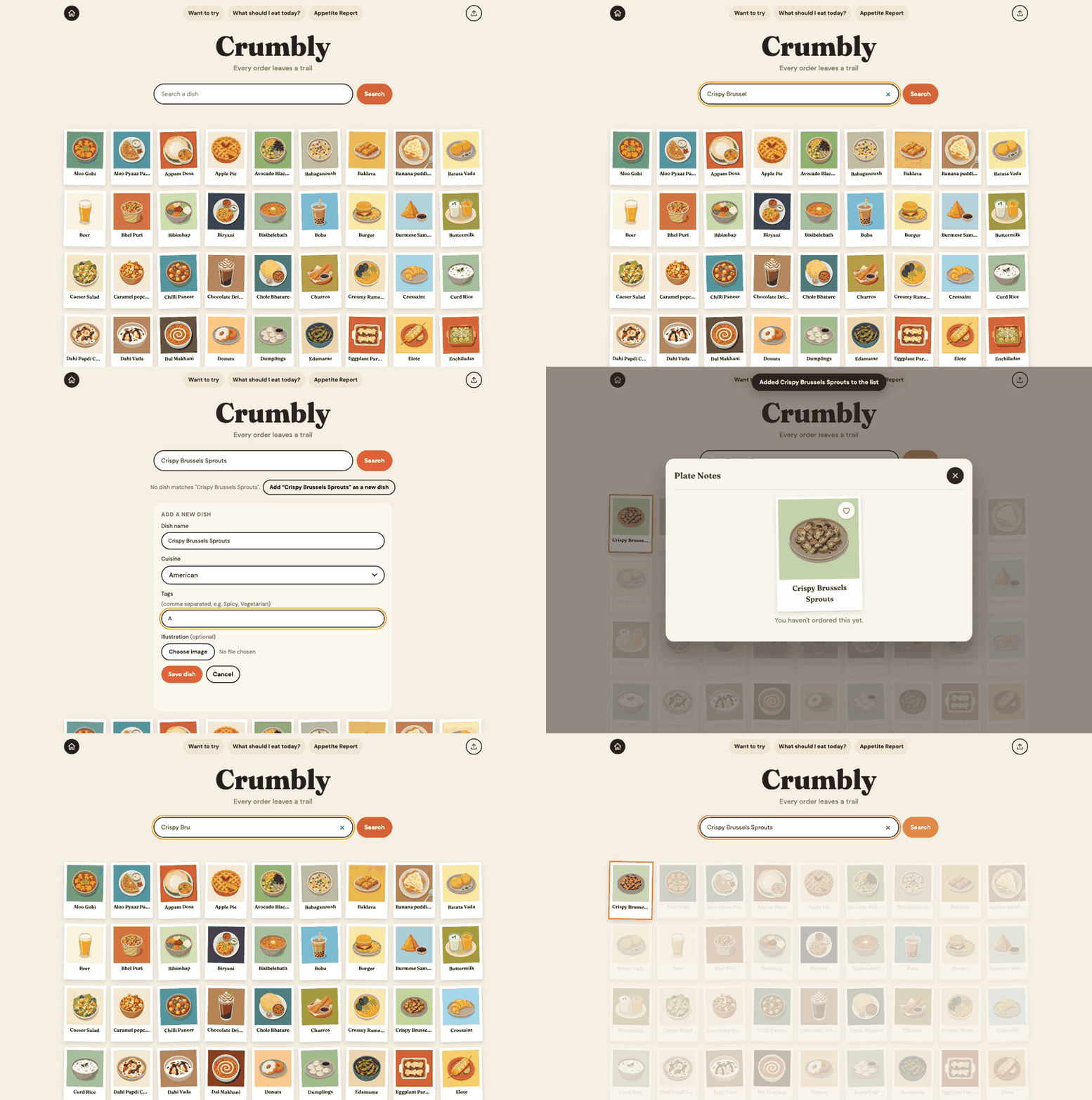
Home is a wall of food in polaroid-style frames. Search finds matching dishes, highlights them, and fades the rest.
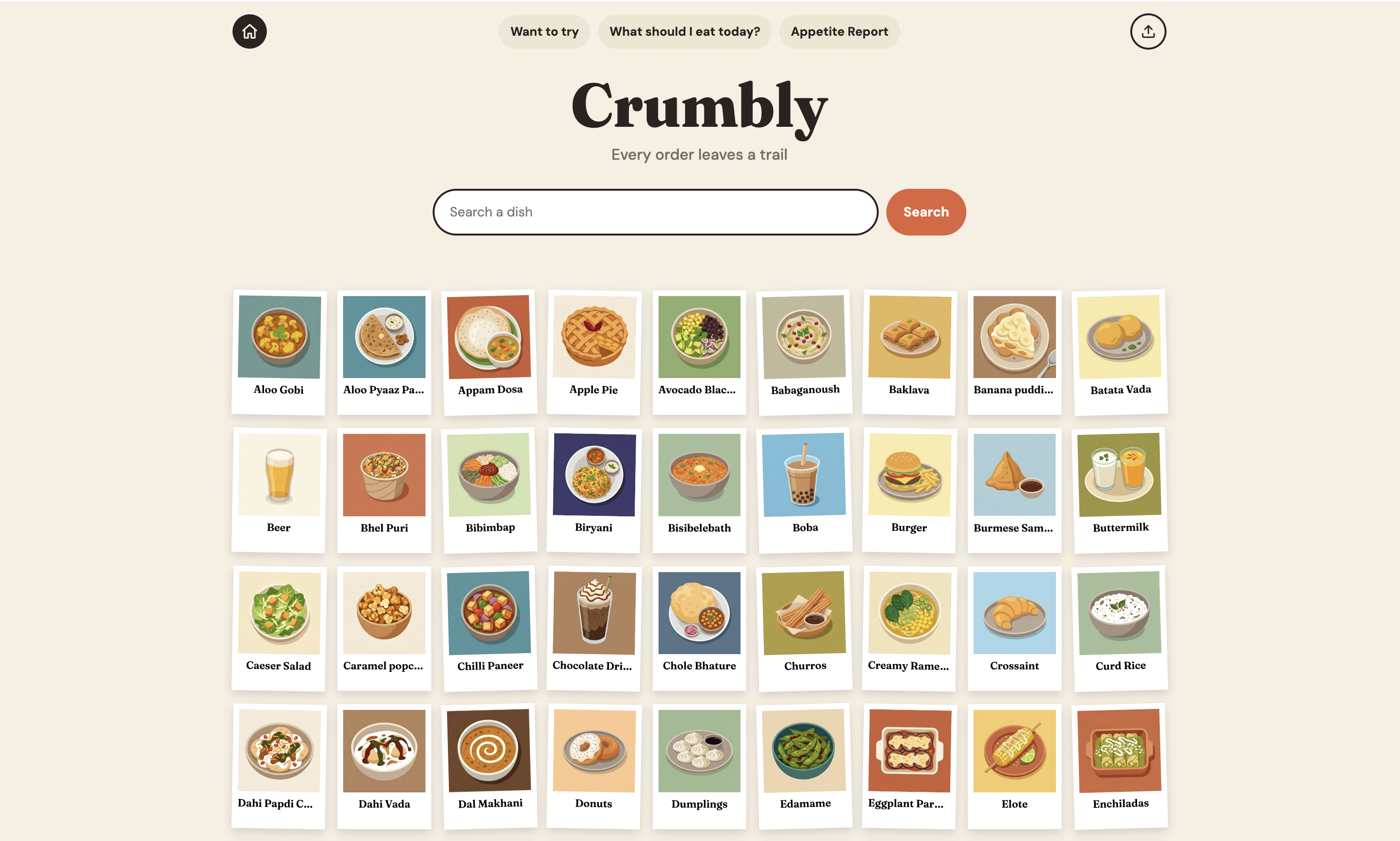
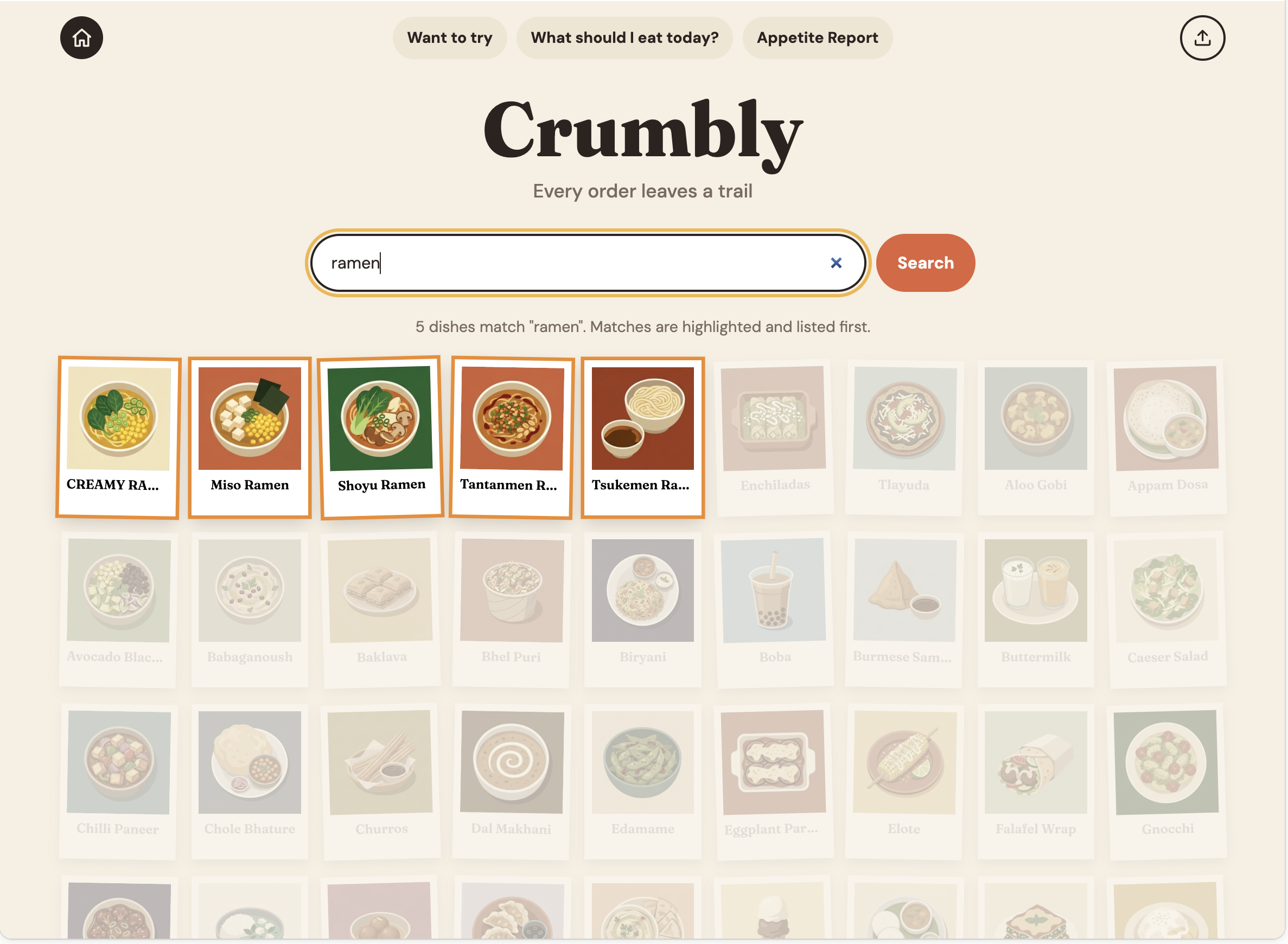
Prototype walkthrough: the home wall, search, a recommendation, and the Appetite Report.
Your ordering history, served up as a food journal, with one good pick for dinner.
Crumbly is a Spotify "Year in Review" for food delivery. My husband and I were talking about how none of the delivery apps showed how often we ordered "miso ramen" or "vegetable curry," or our favorite picks from a restaurant. When we were both tired after a long day, the only help was a "Last ordered" section on each restaurant's screen.
Budgeting apps are plentiful, but almost none feel fun. I wanted to see our habits the way a music app shows listening habits: as a story, with personality, and with curated illustrations.
This was a personal project for two people, so I skipped formal user research and designed for us.
Search how many times we ordered a specific dish.
See which restaurants we order from most often.
See spending by dish, restaurant, and cuisine.
Give one strong recommendation instead of endless options.
Give one good answer, not a menu of options.
Show dishes as pictures you would want to look at, not as rows in a table.
Every screen should connect back to what we eat and what we order next.
Home is a wall of food in polaroid-style frames. Search finds matching dishes, highlights them, and fades the rest.
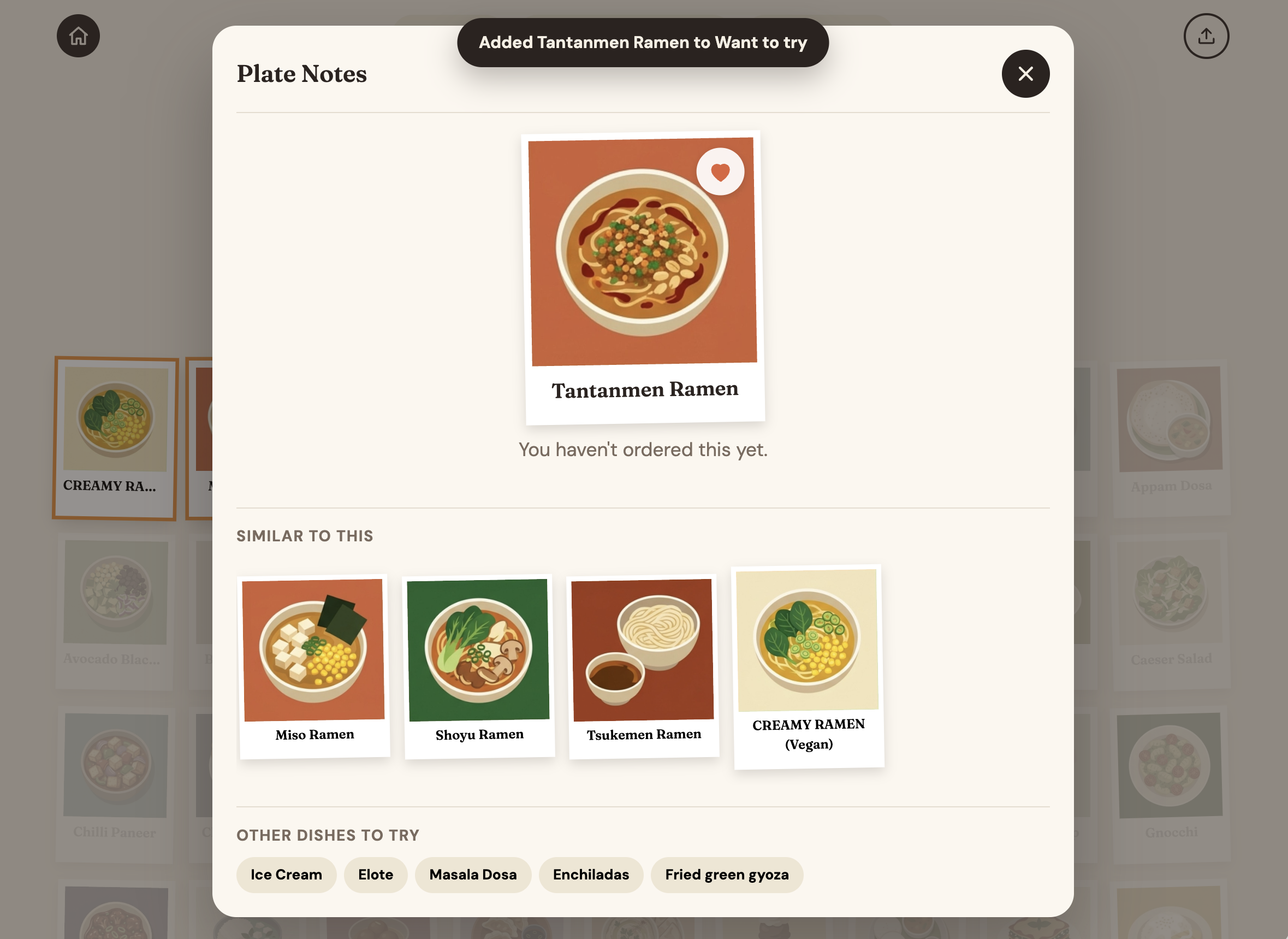
Plate Notes show how often we ordered a dish, from which restaurant, and what we spent. Each one also suggests similar dishes to try, so the next order can be a deliberate choice rather than a repeat.
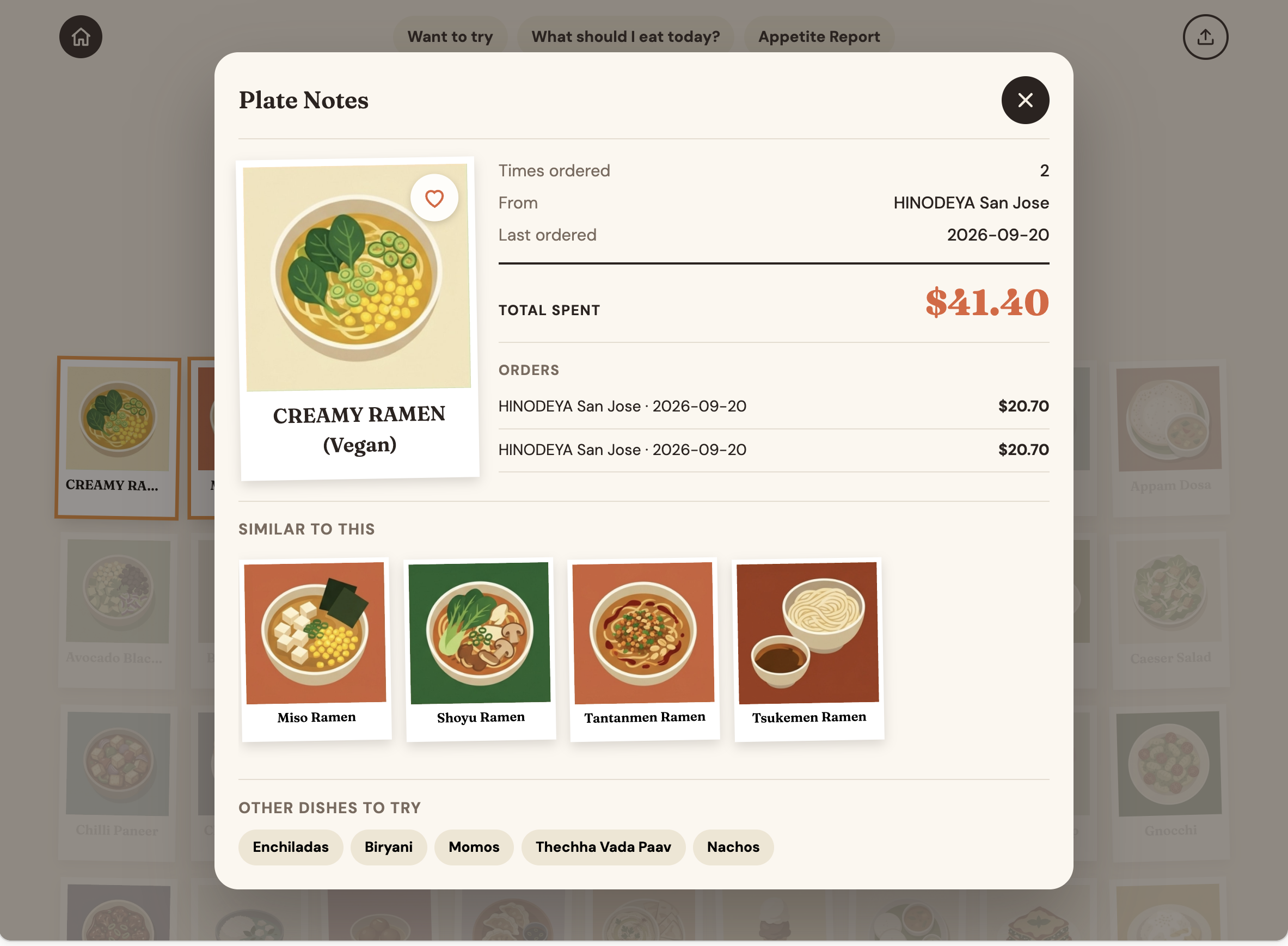
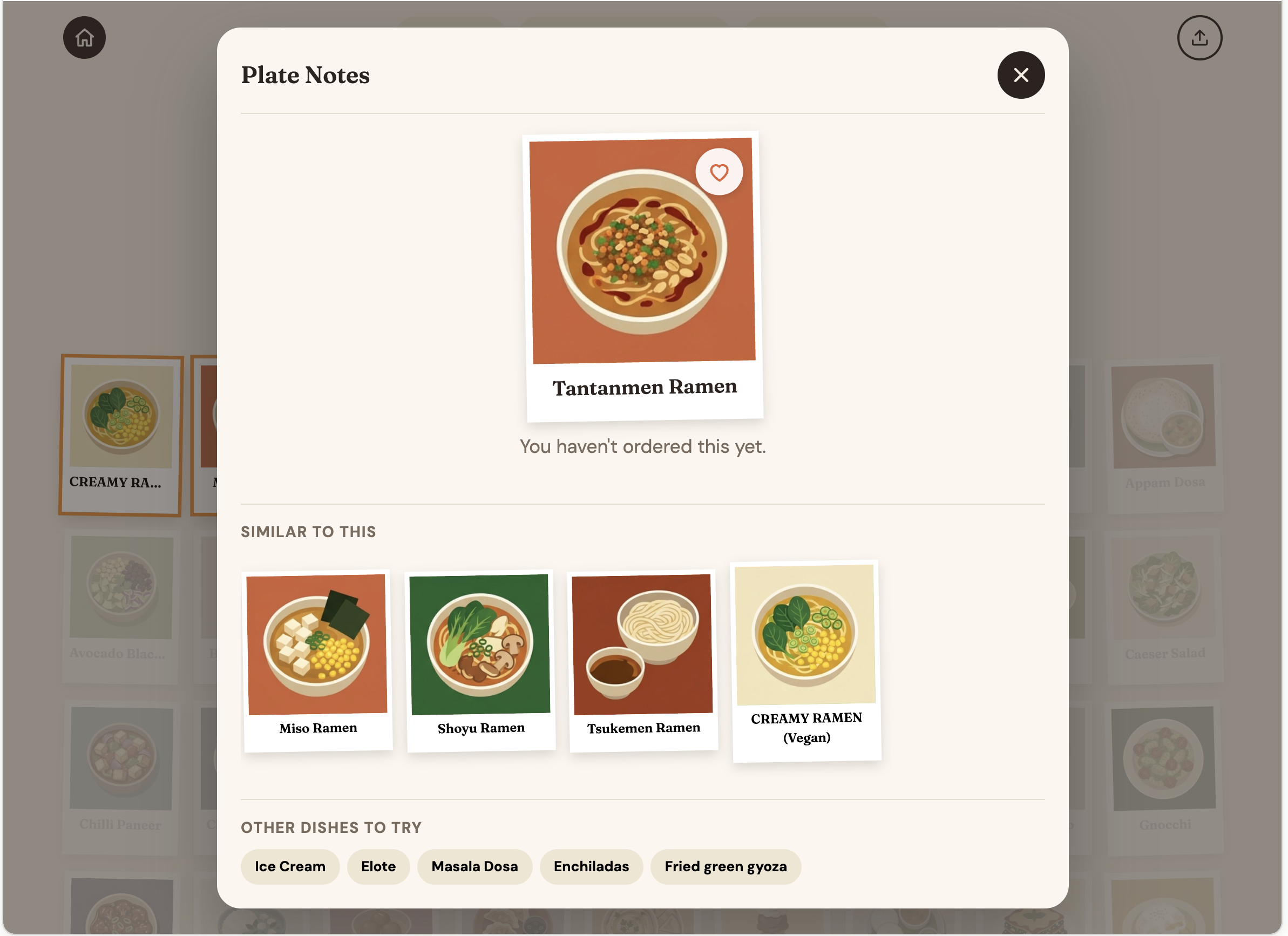
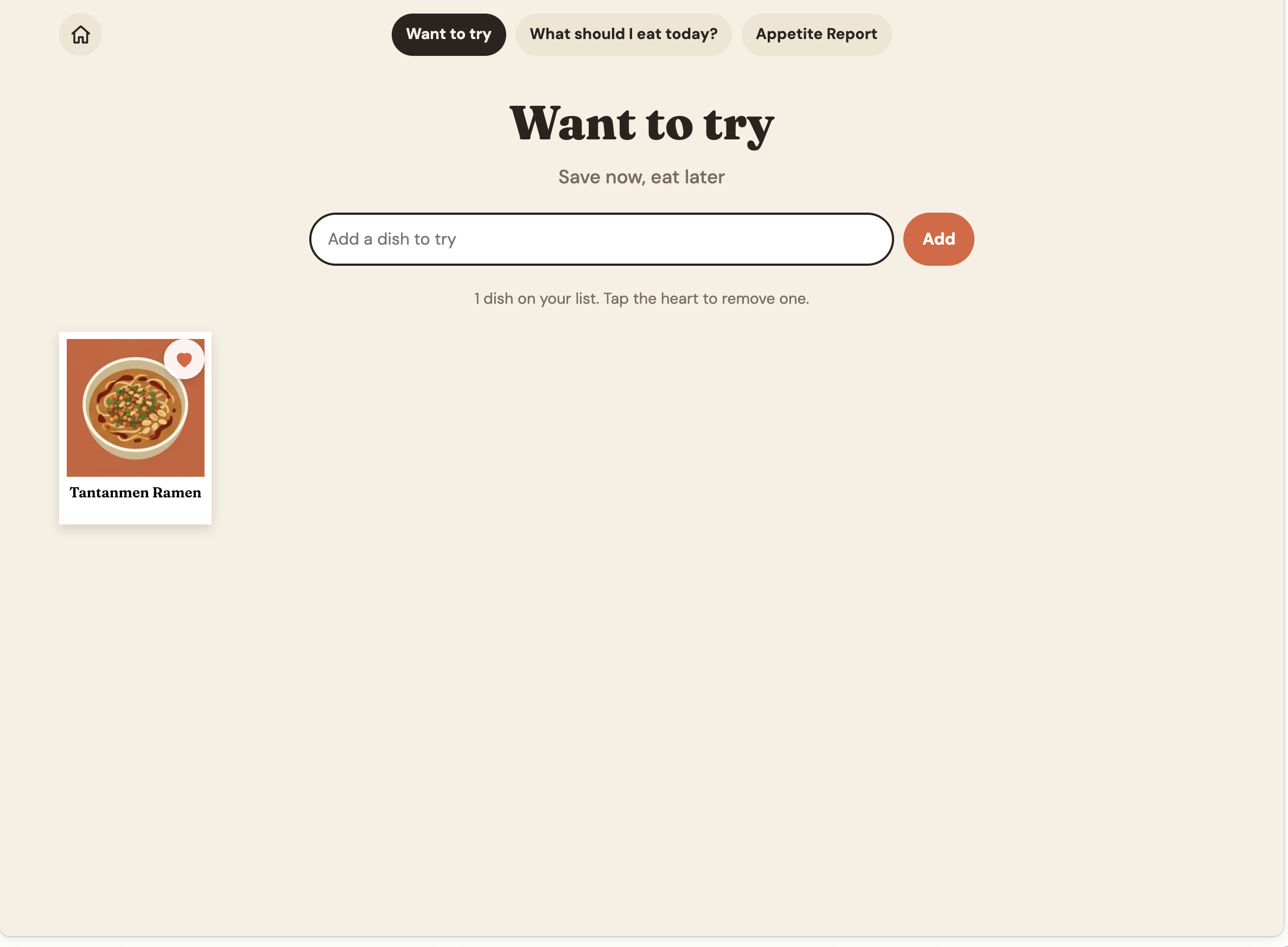
Want to try is a saved list. Tap the heart on a dish to save it, or add a dish by name, so we can keep the dishes we have heard about but never ordered.
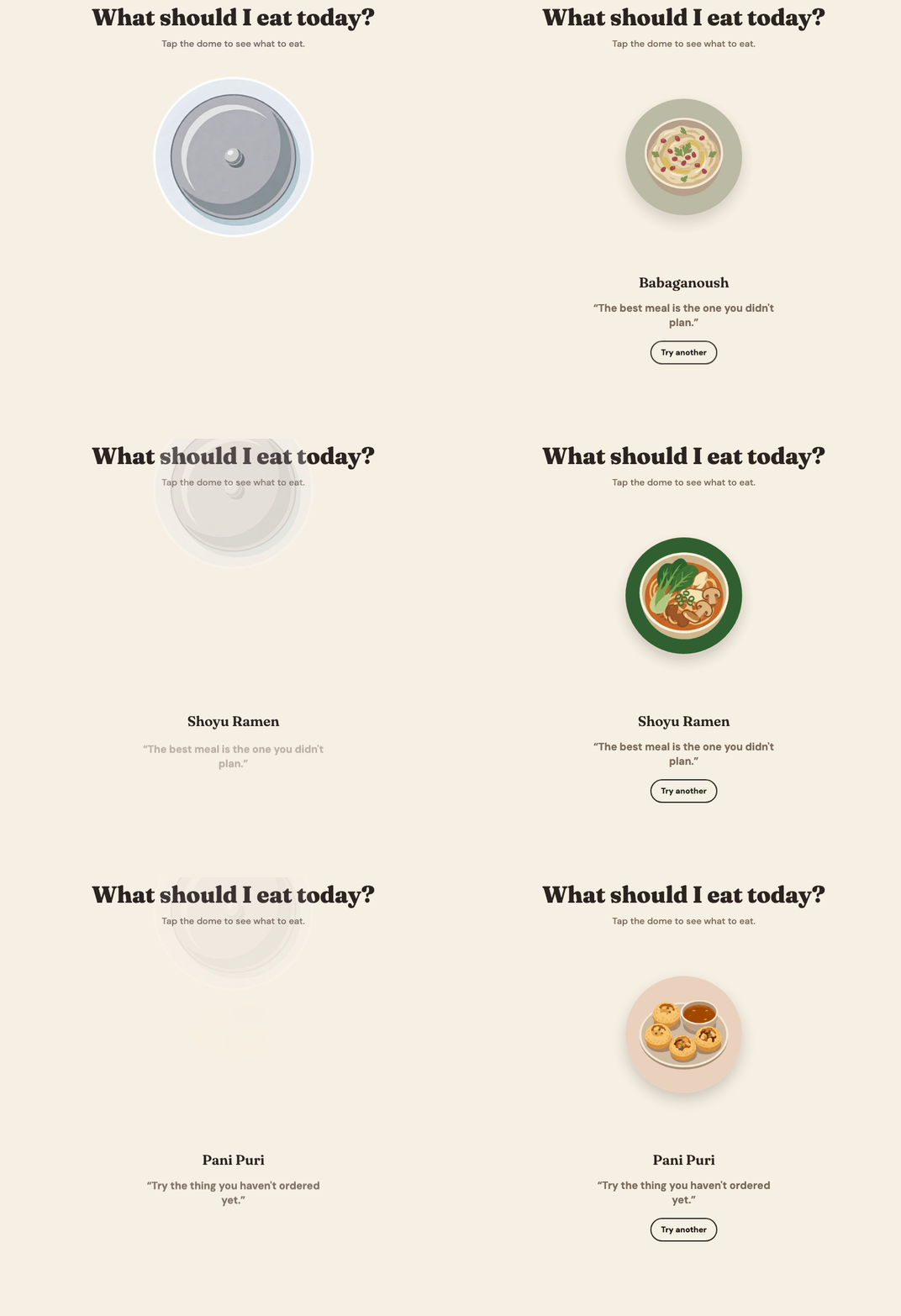
The "What should I eat today?" feature lifts a dome to reveal one dish. One pick, not a menu, like a shuffle rather than a jukebox. It is built like a small game, which makes it memorable.
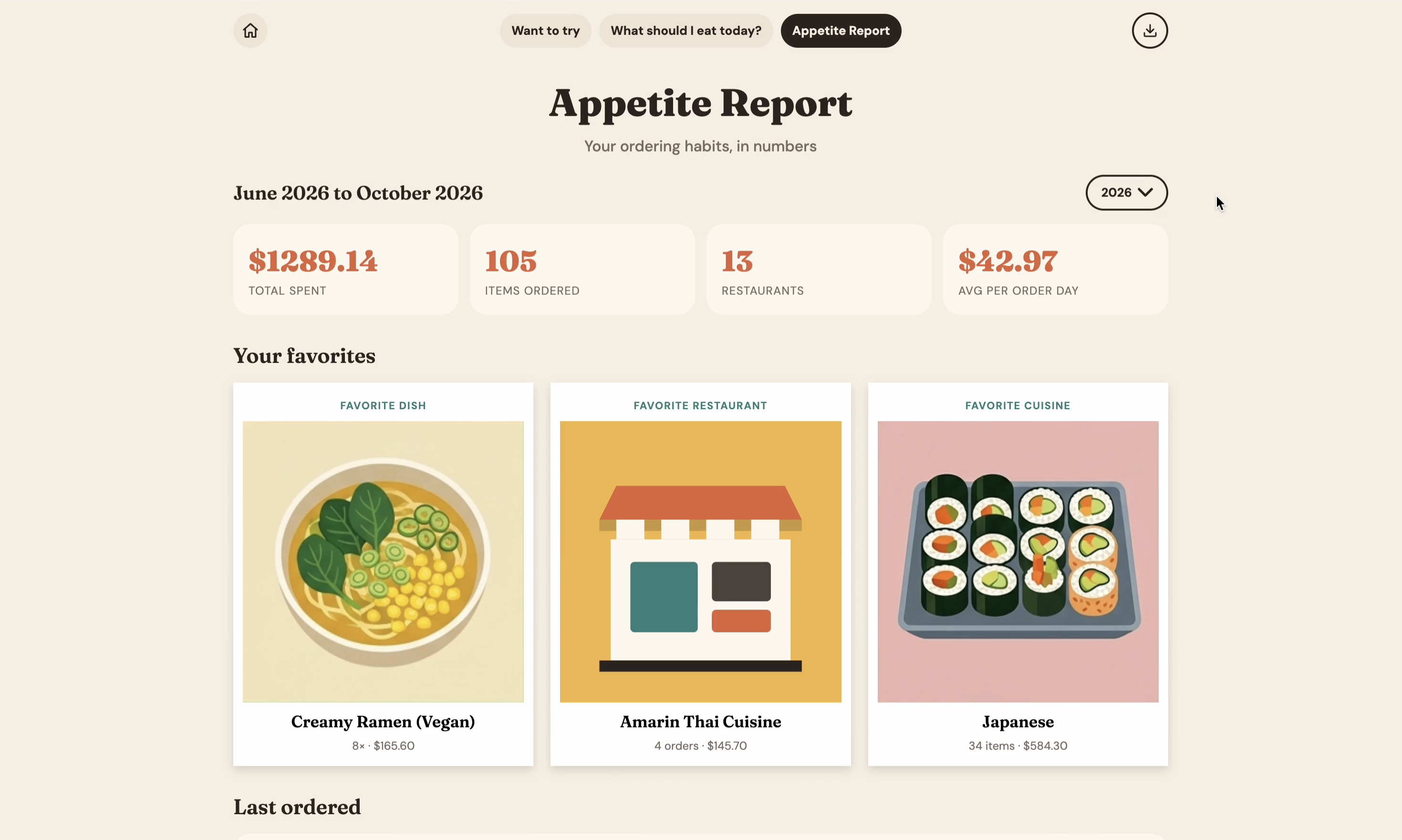
The Appetite Report shows spending and habits, with a timeline, spend by restaurant, and most-ordered dishes. You can filter by all time, a year, or a month.
The order history in the prototype came from a DoorDash export, with home addresses and delivery times removed. You can replace the sample with your own. Export your orders as a CSV with Restaurant, ITEM, Quantity, PRICE, and Date, then upload it from the home page. The whole app recalculates, and data stays in the browser. Dishes match illustrations by name and aliases. Unmatched dishes appear as an empty plate with cutlery.
I started with a brief and asked an AI chat tool for help. It produced a complete analytics page on its own assumptions, which was impressive but generic. I used AI for ideation and building; the flows, feedback, and each round of changes were mine. Claude changed nothing until I approved it, with a running log and screenshots for each version.
The visual direction keeps food as the most colorful thing on screen. Dish illustrations are bright, flat vector art, and the interface stays warm and neutral with a cream background and tomato accents, so the dishes lead.
Of 246 unique dishes, 229 (about 93%) map to an illustration after I reviewed and approved the proposed matches. The remaining 17 show the empty-plate state. We could see our most-ordered dishes and restaurants, what we spent, and what we had not tried.
Before a wider launch I would test two questions: whether a food journal with spend and favorites is worth opening, and whether one recommendation solves decision fatigue. Scaling needs cleaner import with user approval, automatic illustration matching, a shared cuisine model, user profiles, connected delivery accounts, and better search.
Prototypes are simpler than products at scale. The hard part was the dish, not the chart. The same dish has different names and variations across restaurants.
AI is a collaborator, not the decision maker. The approval rule and the design log kept the work on track. Without guardrails, the model would have drifted from the vision.